
EP-133 K.O.II First Impressions: A Portable Powerhouse With a Clunky Learning Curve

I held off on buying the Teenage Engineering EP-133 K.O. II for a long time. When it first came out, I wasn't convinced it offered enough that was different from the samplers I already owned. Between the SP404 MK2, Roland P-6, and even the much simpler PO-33, I already had plenty of ways to sample, sequence, and make beats without a computer.
A few recent updates finally changed my mind. Adjustable sample rates caught my attention, USB audio made the EP-133 much easier to fit into my existing setup, and eventually curiosity won. When mine arrived, I decided not to read the manual and instead gave it the same test I like to give any new sampler: could I turn it on and actually start making music?
The answer is mostly yes. After making my first beat, I found the EP-133 K.O.II to be a fast, surprisingly approachable sampler with a workflow that encourages experimentation. There are also a few places where that workflow becomes clunkier than I expected.
Can You Learn the EP-133 K.O.II Without the Manual?
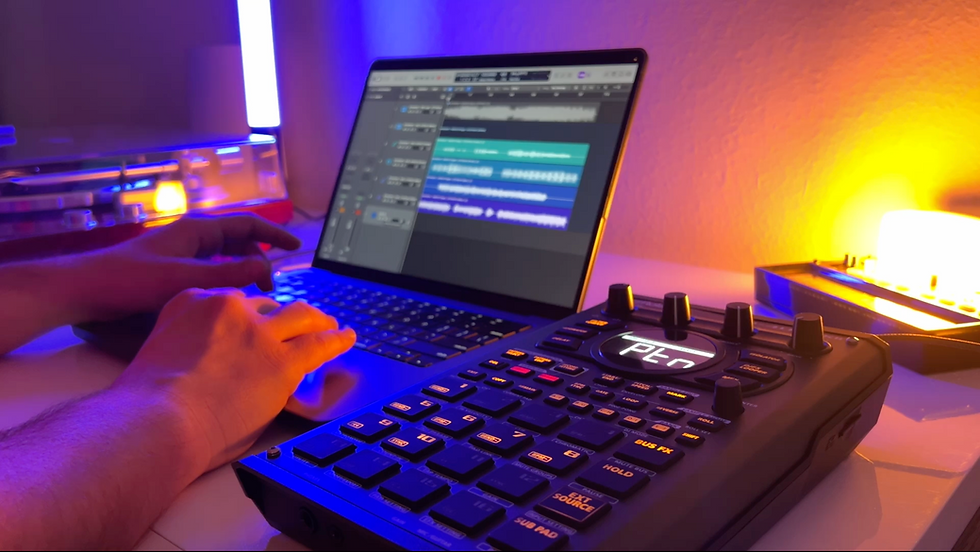
The first thing that surprised me was how much of the EP-133 I could figure out simply by looking at it. Basic functions like changing the tempo, recording a pattern, browsing sounds, and deleting something I'd recorded were all reasonably easy to discover. Having so many controls physically laid out in front of you makes a difference when you're trying to learn a new instrument.

That matters more to me than it might sound. I don't expect to understand every feature of a new sampler immediately, but I want to be able to get an idea started without constantly stopping to search for instructions. Every interruption between having an idea and hearing it come out of the machine creates another opportunity to lose momentum.
The EP-133 K.O.II passed that test, although just barely. I could make music without a manual, but there were several moments where I knew what I wanted to accomplish and had to dive around the 3-4 character screen until I figured out how the machine wanted me to do it.
Sampling My Own Sounds Into the EP-133
Stock sounds are useful for getting started, but the real test for me was sampling. I grabbed my guitar, ran it through some effects, and created a few sustained chords and textures that I could bring into the EP-133 and repitch.
This was also where I ran into one of my first small frustrations: you have to hold the sample button while recording. It's hardly a deal-breaker, but it's one of those workflow decisions you notice immediately when you're used to other samplers. This has been patched, but how to set it to press to record instead of hold isn't clear without looking at a manual. Once the sounds were recorded, though, being able to adjust their pitch, volume, and envelope gave me enough control to start turning those guitar recordings into something more playable.
Using the chromatic keyboard was another adjustment. I'm used to the layout on the SP404 MK2, so having three pads per row meant my muscle memory was basically useless. After some trial and error I could find the notes I wanted, but actually playing melodies on the pads wasn't my favorite part of the experience. The pads can get a little stuck and slow when playing, so things like 16th note or 32nd note repeats are difficult.
The New EP-133 Sample Rates Were One Reason I Bought It
One of the updates that finally convinced me to try the EP-133 was the addition of adjustable recording quality. I love the character you can get from lower sample rates, especially on something like the PO-33, so I was curious whether the EP-133 could give me some of that same grit in a much more capable machine.
The setting was relatively easy to find once I dug into the system menu, and I recorded the same type of guitar sounds at the lower setting to compare them. There was definitely a little more crunch and character, but the difference wasn't as dramatic as I expected. If you've ever sampled at the lower quality settings on the PO-33, that machine can make the degradation extremely obvious. My initial impression of the EP-133 was considerably more subtle.
I don't necessarily think that's a bad thing. Having different recording options gives the EP-133 another sound-design tool, and I'm interested to see what happens once I start intentionally building tracks around those lower-quality recordings instead of simply comparing them in isolation.
Where the EP-133 Workflow Gets Clunky
The biggest stumbling block during my first session was timing correction. At one point, one of my pad sounds wasn't landing correctly on the first beat, and fixing it took more experimentation than I expected. I eventually got it working, but the process felt a little wonky compared with some of the other samplers I use.
That's probably the best way I can describe the EP-133 learning curve after one session. A lot of the machine is refreshingly direct, but every so often you run into a workflow that doesn't behave quite the way you expect. Once you understand what it's asking you to do, it works. Getting there can take some experimentation.
I want to be careful not to turn a first-impressions experience into a definitive criticism, though. There may be faster ways to accomplish some of these things that I simply hadn't discovered yet. That's part of the reason I like learning gear this way: it tells me how intuitive the instrument is before I've memorized all of its shortcuts.
What the EP-133 Gets Right
Despite those frustrations, the thing that stood out most was how quickly I had a beat going. I sampled my own guitar, repitched it, programmed drums, adjusted envelopes and levels, and ended up with a loop I genuinely wanted to keep developing. That's ultimately more important to me than whether I understood every feature on day one.
USB audio is another major benefit for the way I work. Being able to connect the EP-133 directly to a computer makes recording and integrating it into a larger setup much easier, while the adjustable sample rates give me another reason to experiment with sound design. I haven't even really explored the performance effects or deeper features yet, which means there are still large parts of the machine waiting for me.
More importantly, I finished the session wanting to learn them.
My EP-133 First Impressions
I went into the EP-133 expecting to find a lot of overlap with samplers I already own, and there absolutely is some. What I wasn't expecting was how much I'd enjoy the workflow itself. It's quick, hands-on, and approachable enough that I could open the box and make something without spending the afternoon reading a manual.
It's also not immediately effortless. Some functions took longer to discover than others, playing chromatically will take some adjustment, and there were moments where the workflow felt clunkier than I would have liked. I still have a lot to learn before I can say whether those are genuine limitations or simply the result of being new to the machine.
But that's also what makes my first impression surprisingly positive. The EP-133 made me curious. I finished my first beat wanting to understand the effects, dig deeper into its sound design options, and figure out what else I could do with it.
Every sampler has its own workflow, quirks, and limitations. For me, the best ones are the instruments that make me want to keep exploring despite those limitations. After avoiding the EP-133 for so long, that's exactly where I find myself now.
Music Making Resources
Free Sampler Starter Kit
The perfect companion for chopping and beatmaking with the EP-133 K.O.II.
Get it free when you sign up for my monthly beatmaking newsletter:
Personalized Coaching
One-on-one help with beatmaking, music production, workflow development, and finishing tracks:
Sample Packs
Original recordings made for sampling, chopping, resampling, and turning into something entirely your own.


The KO 2 is amazing. I'm sad I had to sell mine to pay bills. I still have the EP-40 Riddim although I haven't been using it as much lately. The update to 128MB for the KO2 was definitely needed. I wish they'd given the EP devices 16 pads. They did it on the pocket operators, so why limit these to 12 keys/pads? That flies in the face of the 16 steps of 4 bars you know what I mean? It ends up beng akward to me and I don't like it. Hopefully the next iteration of these includes 16 pads. The 404 mk2 and MPC sample have 16 pads which I think these EP devices are in competition with.